
Okay so here’s the thing. I’ve written a bunch of posts explaining what DNS is, how DNSSEC works, what happens when DNS gets attacked — but I never actually sat down and showed you how to talk to DNS yourself. Like, with your own two hands, right from a terminal.
Today we fix that. We’re going to use a tool called dig — and I’ll use my own domain, joyeeta.bd, as our test subject. Real commands, real output, real domain. Let’s go.
"dig is like asking DNS a direct question and getting a very detailed, very honest answer back."
First — what even is dig?
dig stands for Domain Information Groper (yes, really). It’s a command-line tool that lets you query DNS servers and see exactly what they return. Think of it like a phone call to the DNS phonebook — you ask for a number, and it gives you the full response, not just the answer.
It comes pre-installed on Linux and macOS. If you’re on Windows, you can use Windows Subsystem for Linux (WSL) or an alternative called nslookup — which we’ll cover at the end too.
|
⚙ Quick install check |
|
Open your terminal and type: dig -v |
|
If you see a version number, you're set. |
|
Ubuntu/Debian: sudo apt install dnsutils | macOS: already installed |
Query 1 — “Where does joyeeta.bd live?” (The A Record)
The most basic thing you can ask DNS is: what IP address is this domain pointing to? That’s an A record lookup. Let’s try it.
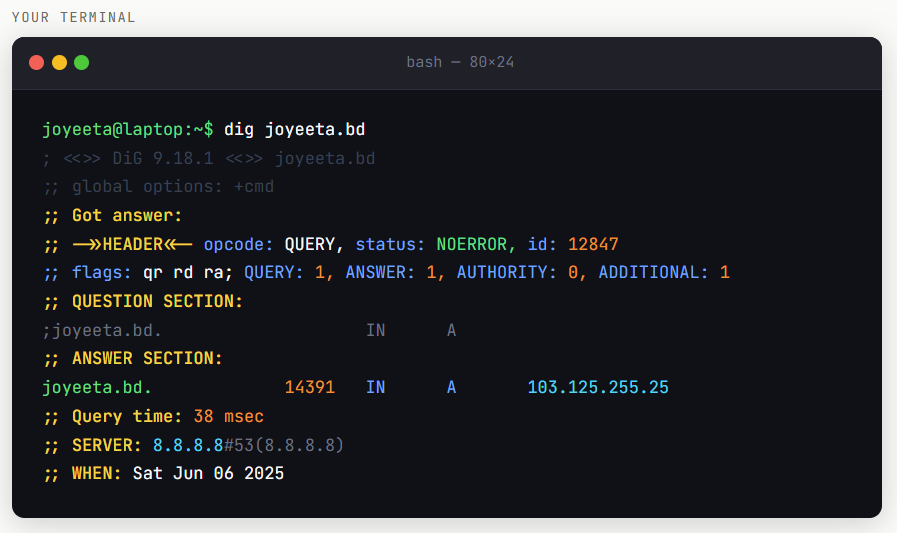
This is a real result — joyeeta.bd actually resolves to 103.125.255.25
There’s a lot going on there. Let me break down the important parts:
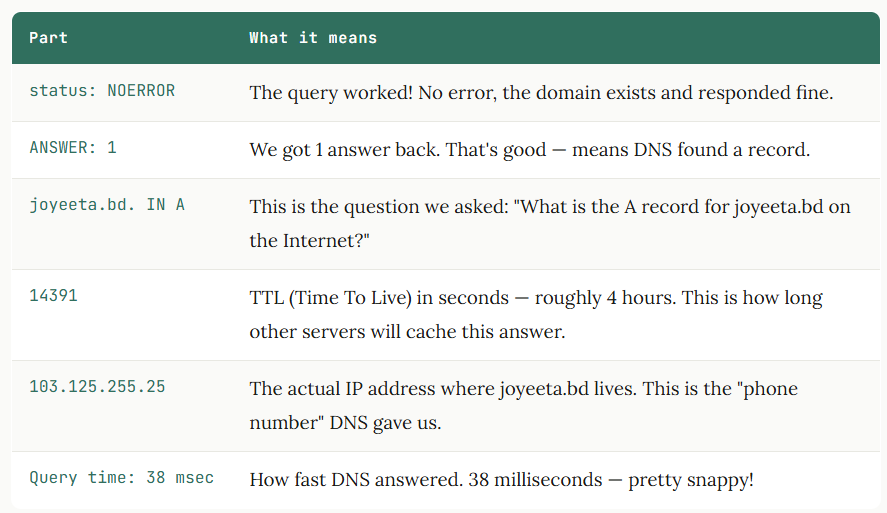
So when you type joyeeta.bd into your browser, behind the scenes this exact lookup happens and your browser gets told to go to 103.125.255.25. Magic, right? Well — DNS, which is basically the same thing.
Query 2 — “Who’s in charge here?” (The NS Record)
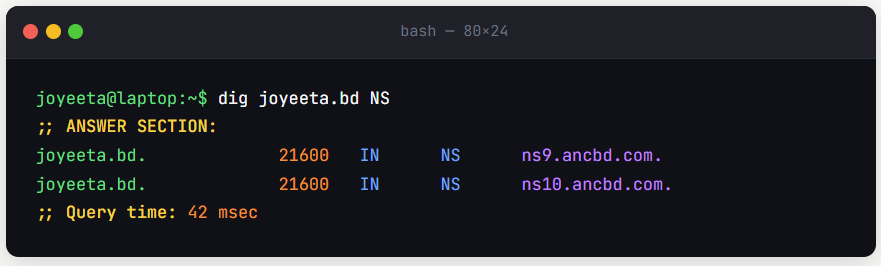
Every domain has a nameserver — it’s the authority that actually holds all the DNS records. You can ask: who is the nameserver for joyeeta.bd?
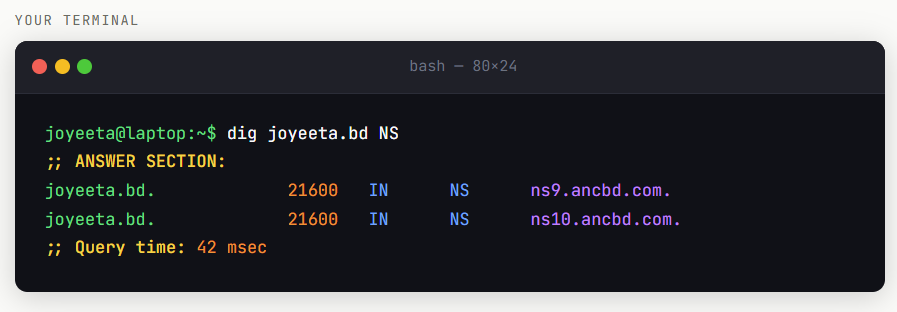
Two nameservers — always good to have a backup!
Two nameservers: ns9.ancbd.com and ns10.ancbd.com. These are the authoritative servers for my domain — if you want the definitive, straight-from-the-source answers about joyeeta.bd, you go to them. Having two is smart — if one goes down, the other keeps answering. That’s redundancy doing its job.
The TTL here is 21600 seconds — that’s 6 hours. Nameserver records are usually cached longer because they don’t change often.
Query 3 — “Where does email go?” (The MX Record)
When someone sends an email to any address at your domain, DNS needs to know where to deliver it. That’s what an MX (Mail Exchange) record is for.
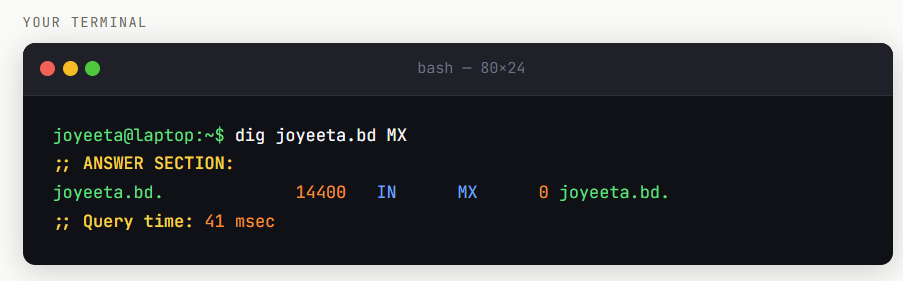
Priority 0, pointing mail back to joyeeta.bd itself
The 0 you see before the domain name is the priority. Lower number = higher priority. If there were multiple mail servers listed, email would try the lowest number first. Since there’s only one here (pointing back to joyeeta.bd. itself), all mail routes there.
Query 4 — “Tell me everything” (The SOA Record)
The SOA (Start of Authority) record is like the master information sheet for a domain’s DNS. It holds housekeeping info — who’s in charge, when things were last updated, and how long to wait before giving up.
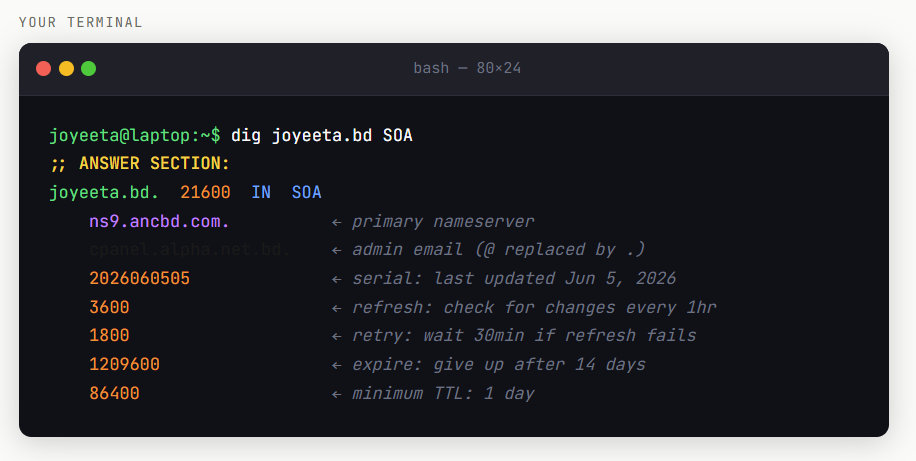
The SOA record is the full backstory of your domain’s DNS setup
That serial number — 2026060505 — is super useful. The format is usually YYYYMMDDNN (year, month, day, revision number). So this was last updated on June 5, 2026, revision 05.
Pro tip — get cleaner output with +short
Sometimes you just want the answer without all the metadata. Add +short to any dig command and it strips everything else away:
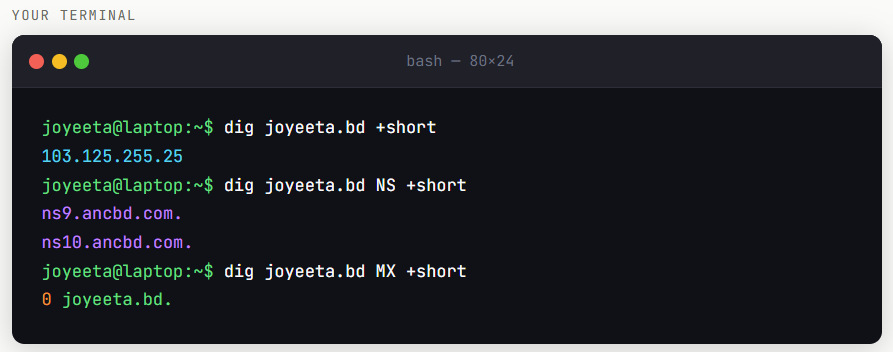
+short is your best friend when you just want the answer fast
What about nslookup? (For Windows users)
If you’re on Windows without WSL, nslookup is your friend. It’s older and less detailed than dig, but it gets the job done.
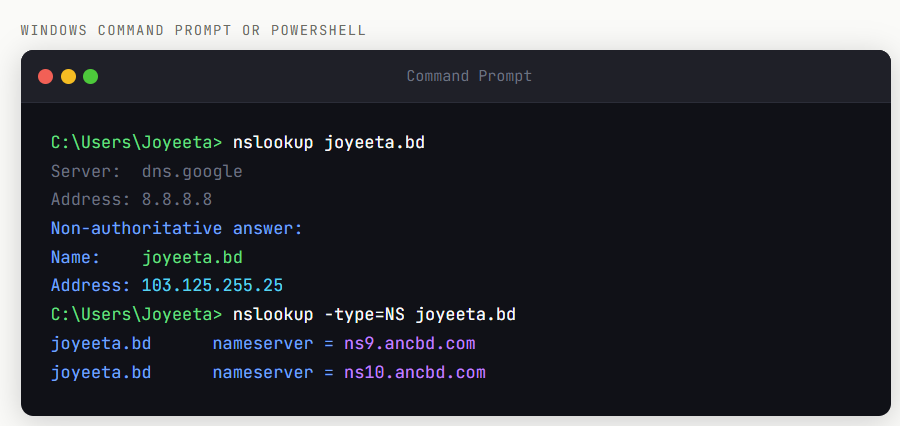
“Non-authoritative” just means the answer came from a cache, not the nameserver directly — totally normal.
So — what did we actually learn about joyeeta.bd?
Just from a few dig commands, here’s everything we discovered:
|
IP ADDRESS (A RECORD) 103.125.255.25 Where the website lives |
NAMESERVERS (NS) ns9 & ns10.ancbd.com Two — good redundancy |
|
MAIL SERVER (MX) Priority 0 → joyeeta.bd Self-hosted mail setup |
LAST DNS UPDATE June 5, 2026 Decoded from SOA serial number |
Not bad for a few seconds of typing, right? This is exactly the kind of recon that network engineers, security researchers, and DNS administrators do every day when they’re diagnosing problems or investigating a domain.
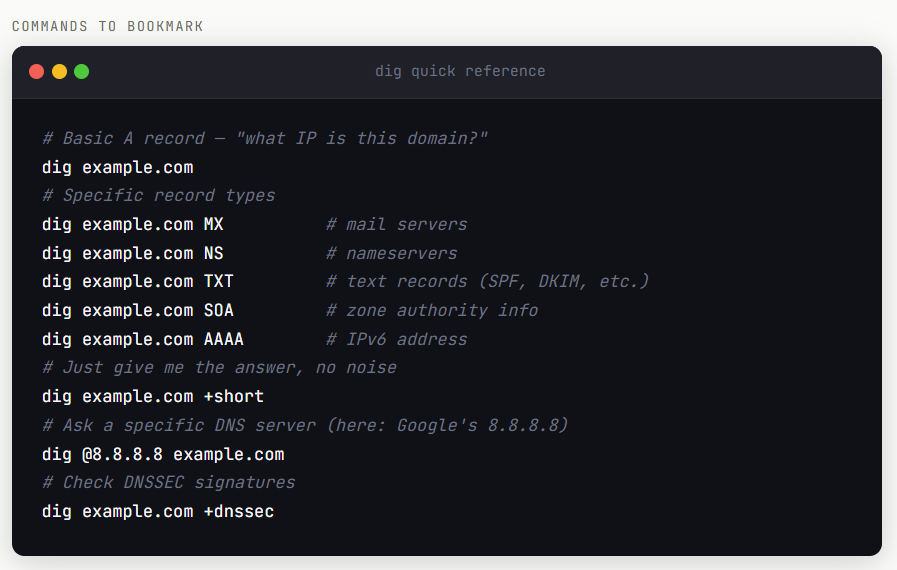
Your dig cheat sheet
What’s next?
Now that you know how to query DNS, a whole world opens up. Try running these commands on domains you use every day — google.com, facebook.com, your own company’s website. You’ll be surprised what you find.
In a future post, we’ll use dig +dnssec to check whether DNSSEC is properly set up on a domain. Spoiler: a lot of domains still don’t have it, and you can spot it in seconds with dig.
And if you want to go deeper, dnsviz.net gives you a gorgeous visual map of a domain’s DNS chain — try plugging joyeeta.bd in there. It’s genuinely beautiful.
"DNS is not scary. It’s a conversation. dig is just how you listen in."
That’s it for today. Try these commands yourself, and if you get a weird result you don’t understand — drop it in the comments. I’ll do my best to help decode it.